

- Buttons on invoice and bill pages that open a link, call your server, or open your page in a drawer.
- Panels: your page embedded as a tab on a list page, a detail page, or an edit modal.
- Navigation: a section in Campfire’s sidebar with full-width pages from your app.
- A manage link from the connection page to your app’s settings screen.
- Event subscriptions: signed notifications when records change in any workspace that connected your app.
FakeTax sample app
A complete, open-source Flask app that uses every feature on this page. All the screenshots here come from it.
App manifest
Define the whole app, including everything on this page, as one JSON document you keep in your repository.
The sample app: FakeTax
FakeTax puts made-up sales tax on invoices. The tax is fake, but the plumbing is real, so it’s a working reference for each capability:
The repository’s README covers local setup. In short: create an app, paste
manifest.json into its Manifest tab, rotate the signing secret, put the credentials in .env, and run python app.py.
Before you start
1
Have extensions turned on
Buttons, panels, navigation and events only appear in, and are only sent to, workspaces that have app extensions turned on. Contact your Campfire support team to turn them on for your workspace and for the workspaces you’re building for. You can define everything on your app before that. It just won’t show.
2
Add your allowed domains
On your app’s page (Settings > Developer > Apps > Manage), open the Security tab. Every button URL, panel and page URL, and event endpoint must be 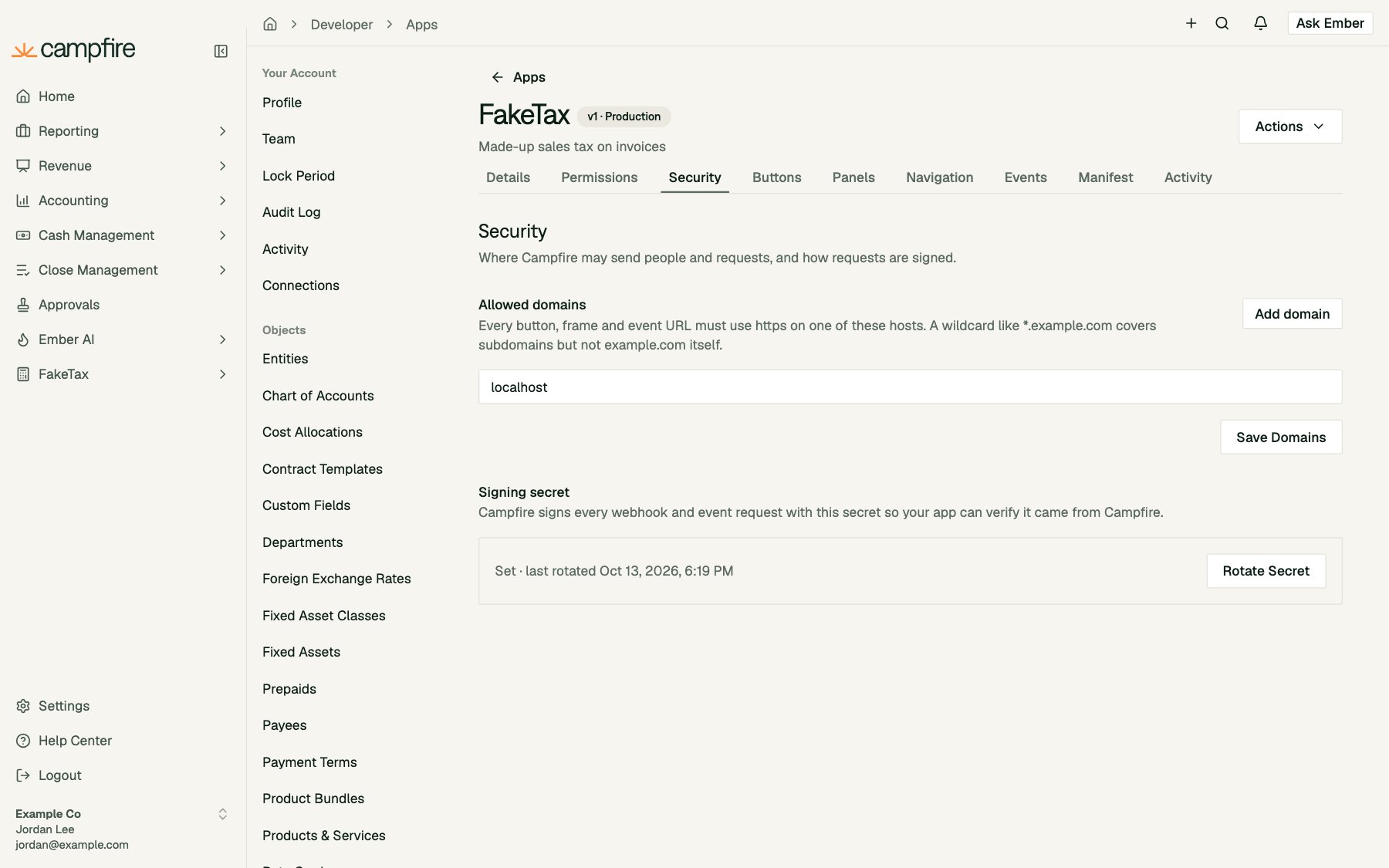
https on one of these hosts. example.com matches only that host. *.example.com matches its subdomains, but not example.com itself. You can add up to 20. Plain http is accepted only for localhost.3
Rotate the signing secret
Campfire signs every webhook call, event delivery and context token with your app’s signing secret (
whsec_...). This is separate from your OAuth client secret. A signing secret is created automatically, but its value is never shown, so click Rotate Secret to get one you can copy. It’s shown once.After a rotation, Campfire signs with both the new and the previous secret for 24 hours, so you can deploy the new secret without dropping requests.Extensions show only in workspaces where at least one person has connected your app. Your own workspace counts. Other workspaces see them only once your app is published and approved. Disconnecting the last connection in a workspace removes them there.
Buttons
Buttons add actions to Campfire pages. Manage them on your app’s Buttons tab.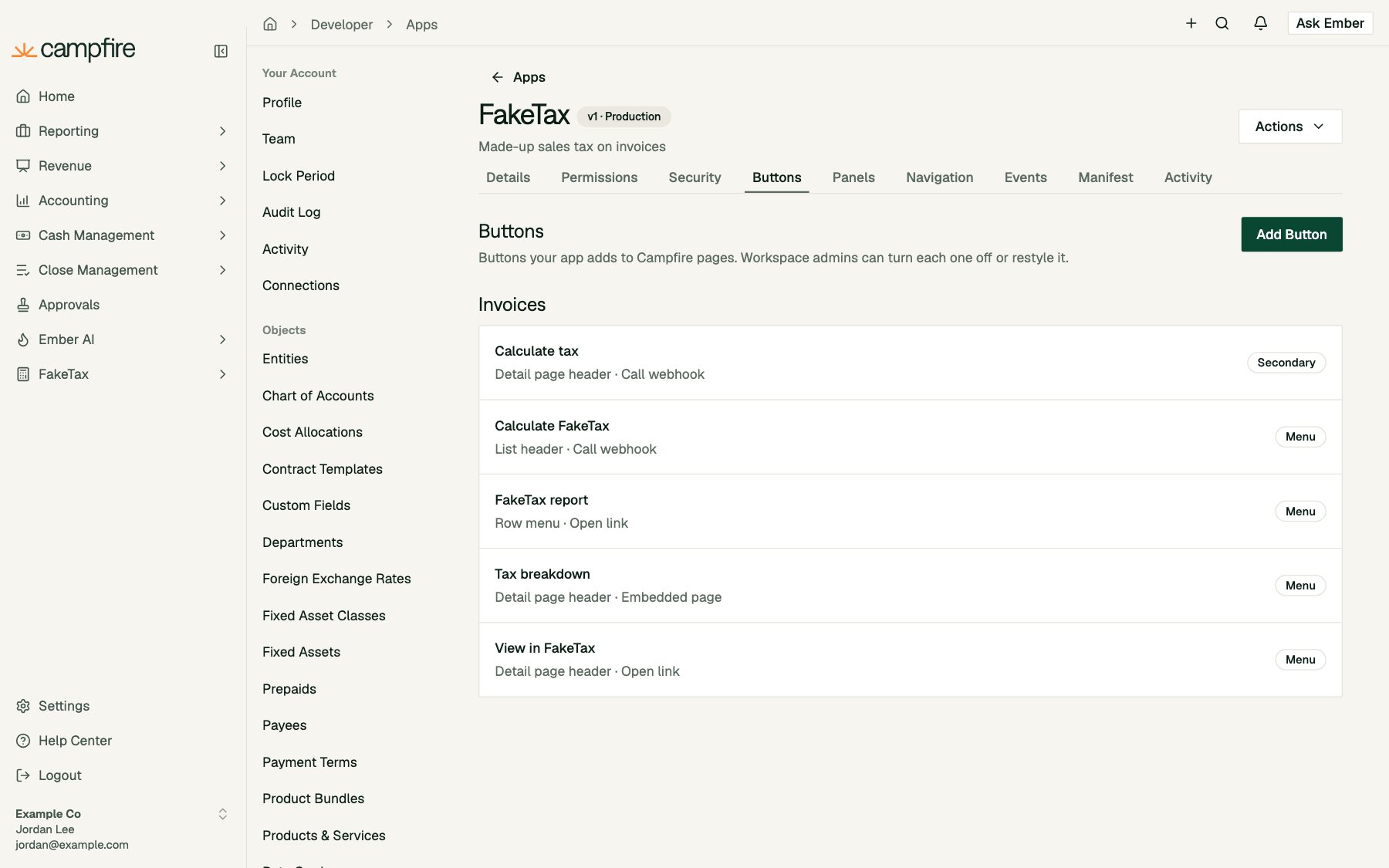
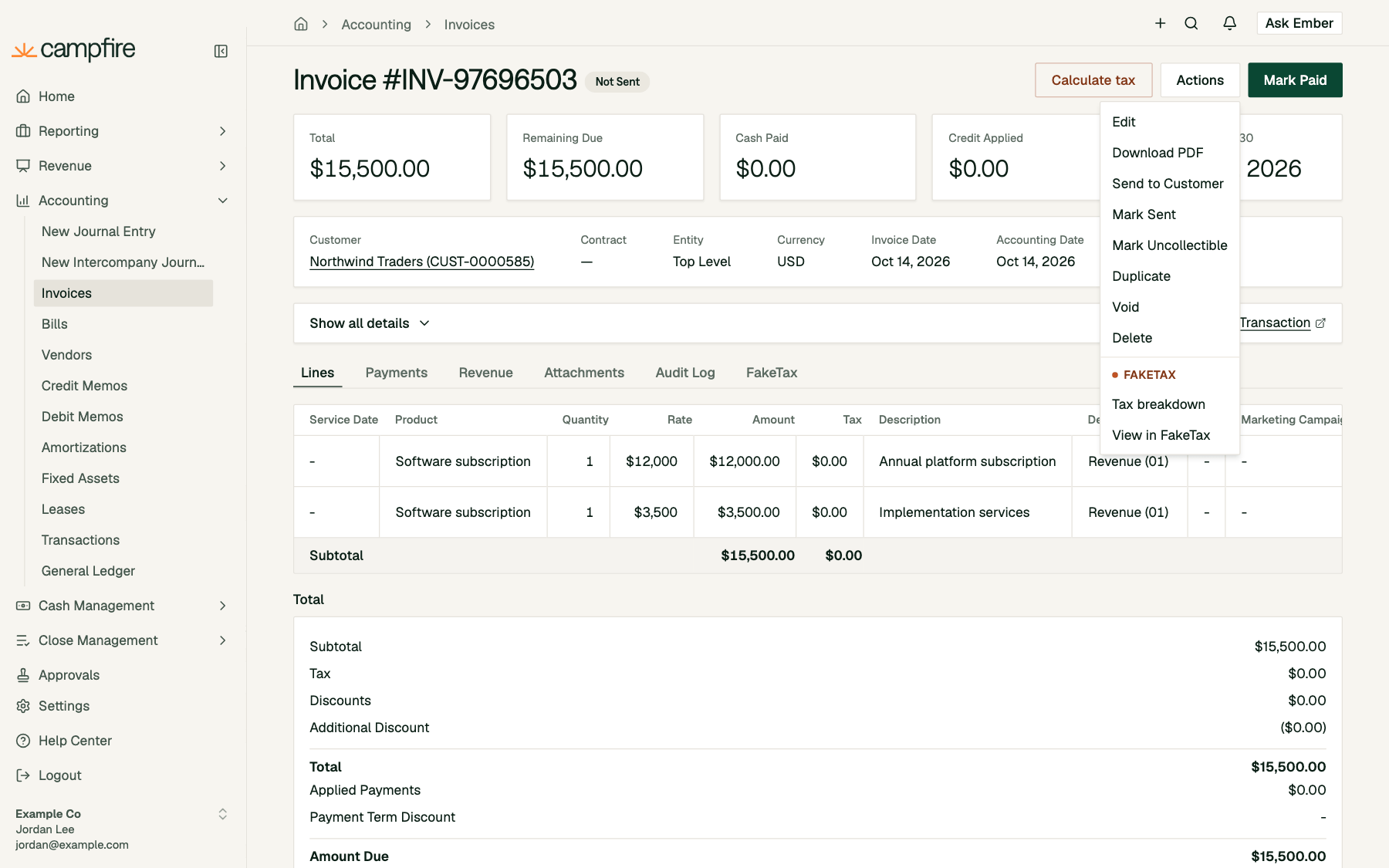
An app can have up to 50 buttons.
Where buttons appear today: the invoice page header, the invoice list header (with rows selected), and the bill page header. You can define buttons for other objects and placements now. They’ll appear as Campfire adds them to more pages.
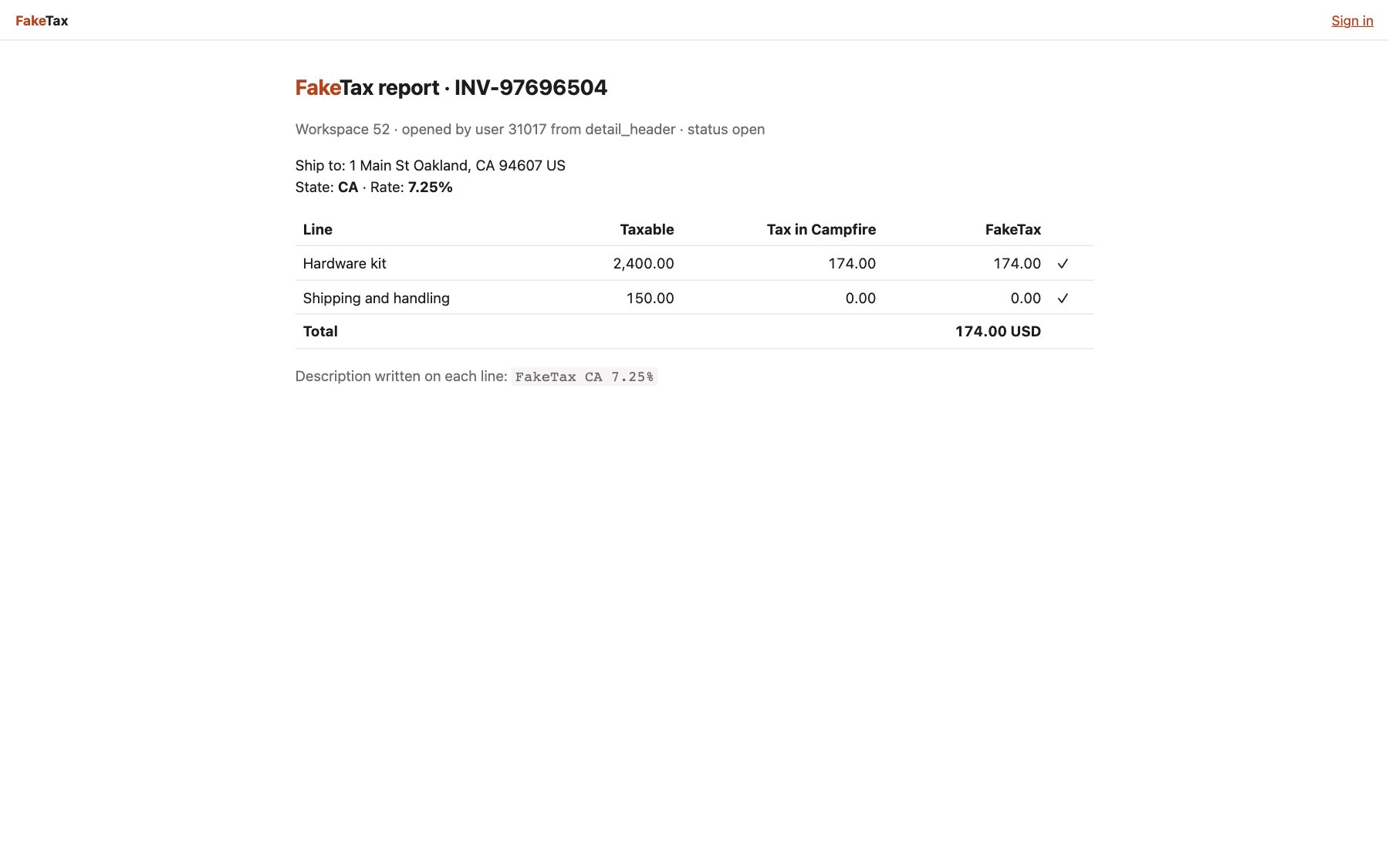
Link buttons
A link button opens your URL in a new tab, with a signed context token added ascf_ctx:
Webhook buttons
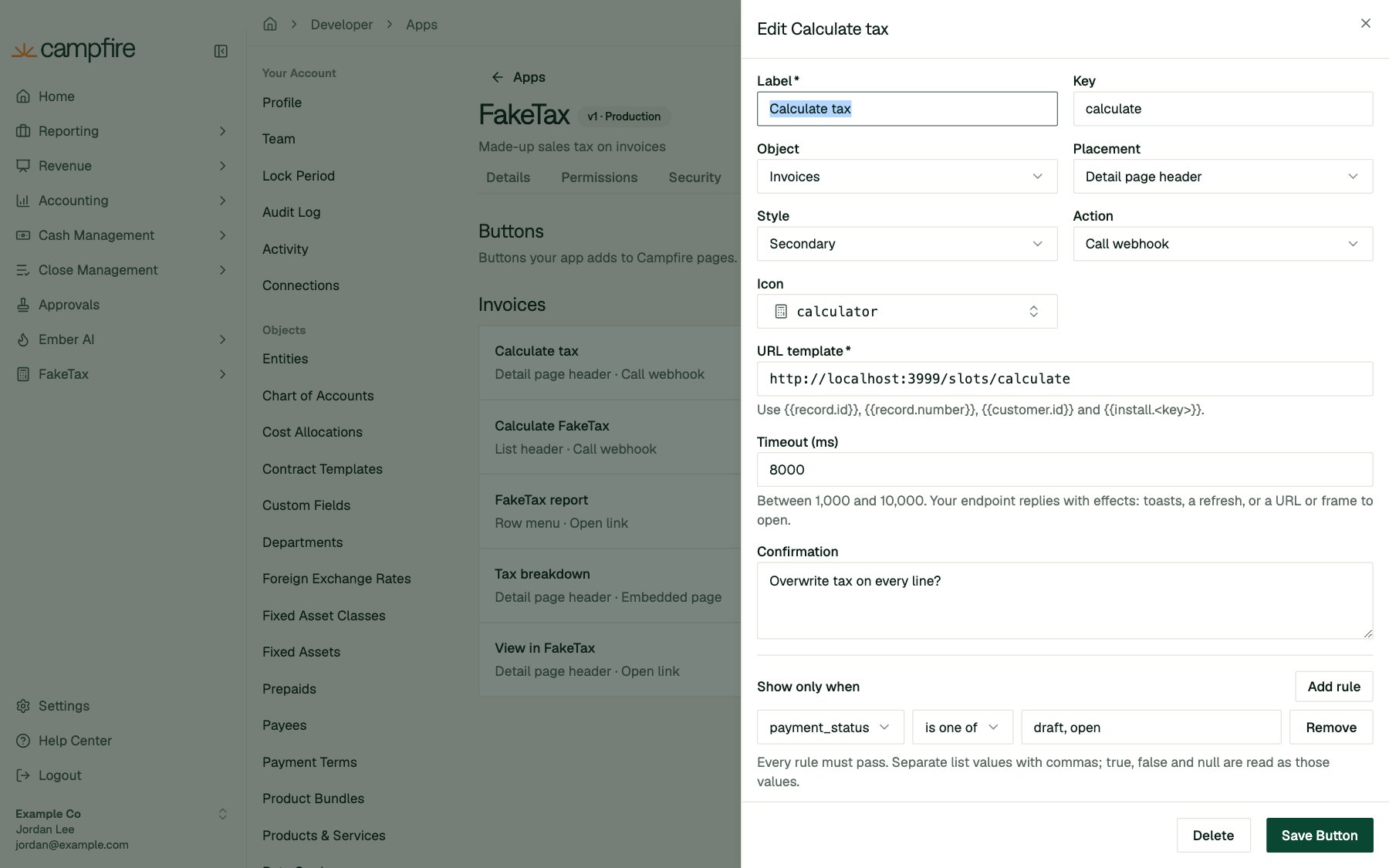
A webhook button calls your server and shows the result without the person leaving Campfire. Optionally, Campfire asks them to confirm first: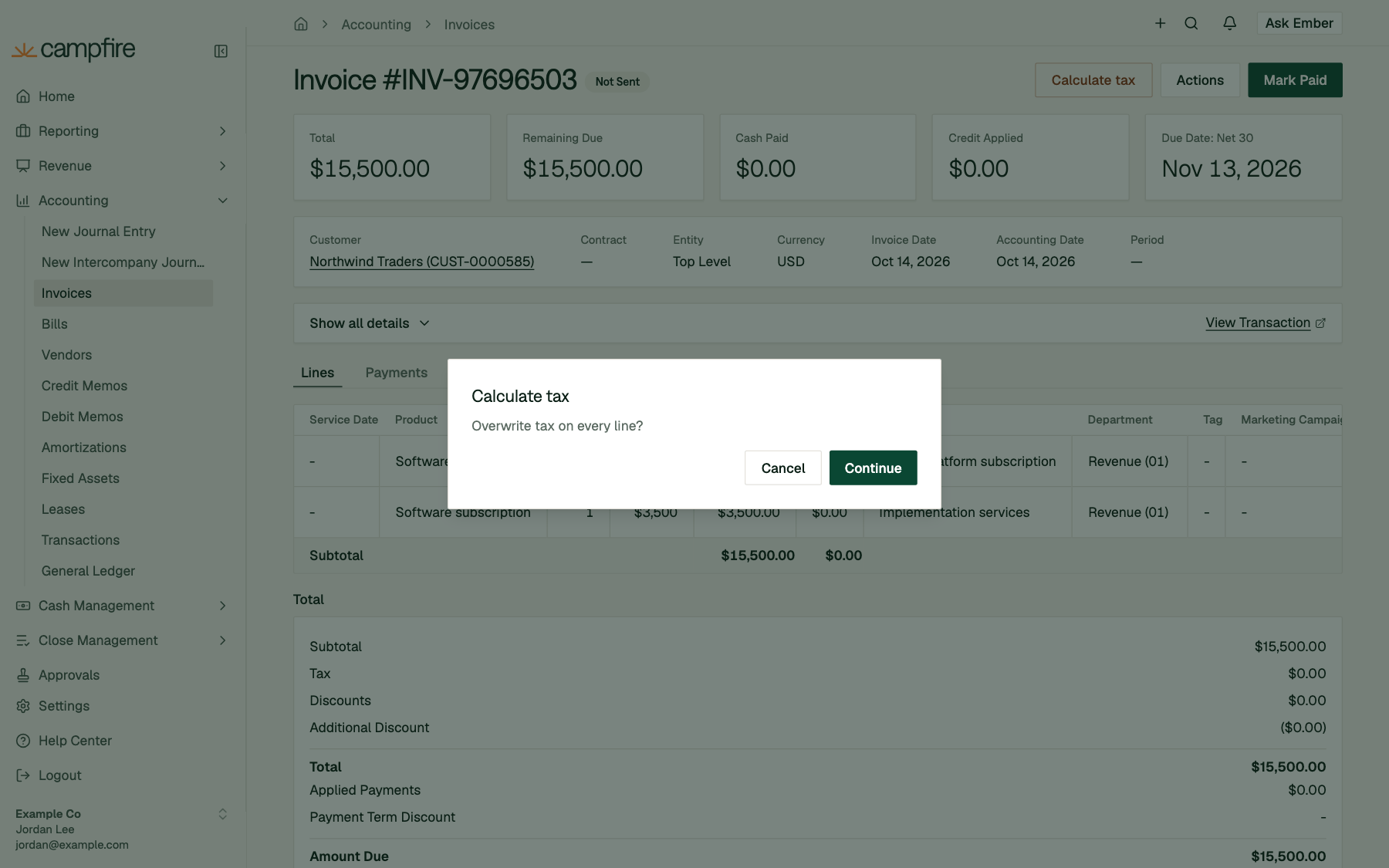
POST to your URL:
An empty
200 response is fine too.
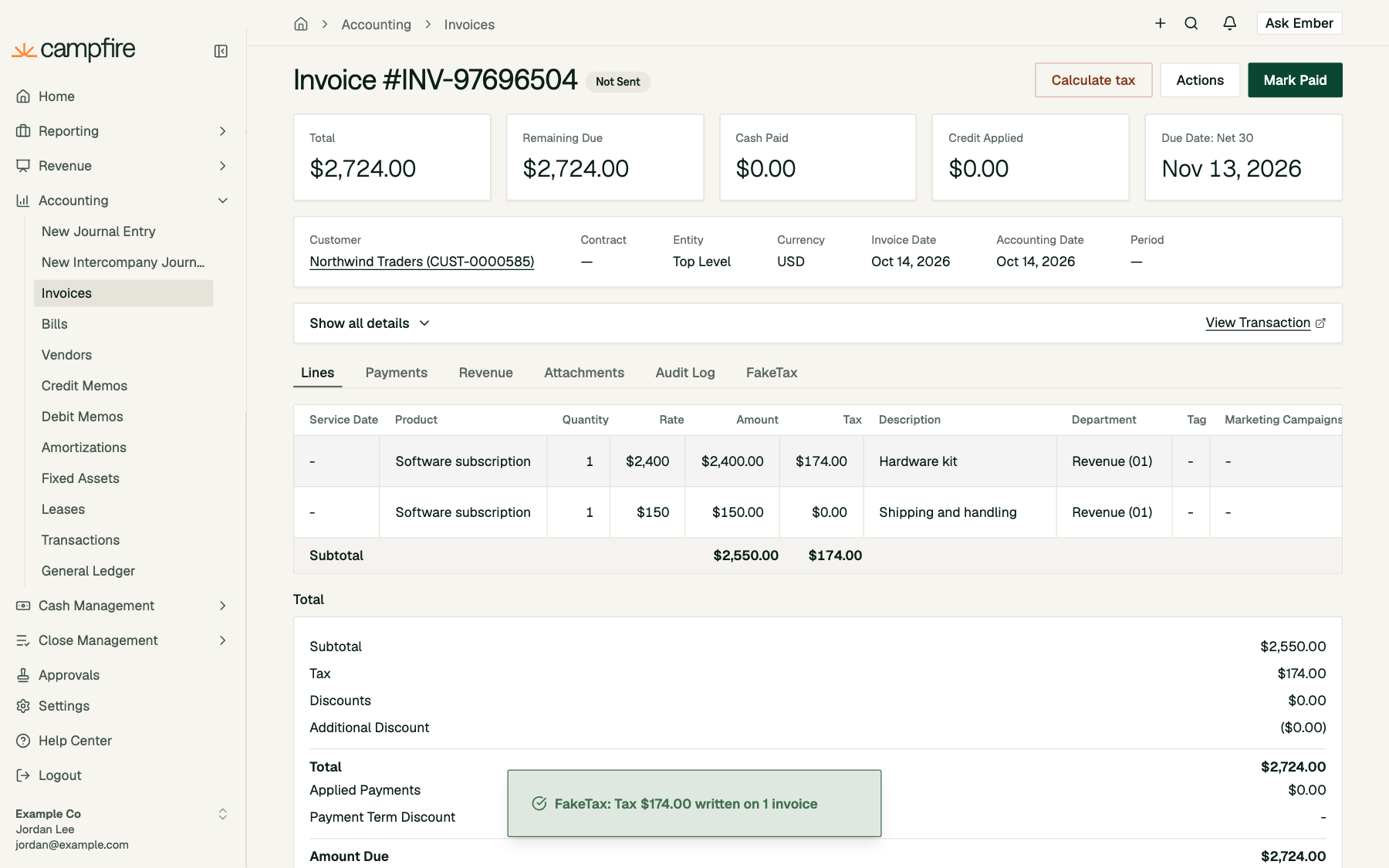
timeout_ms to respond: 8,000 ms by default, adjustable from 1,000 to 10,000. Campfire doesn’t follow redirects and reads at most 64 KB of the response. If your server returns a non-2xx status, invalid JSON, or an unknown effect, the person sees “<App> could not complete this action.” If it times out, they see “<App> did not respond in time.” Either way, the failure is recorded on your app’s Activity tab.
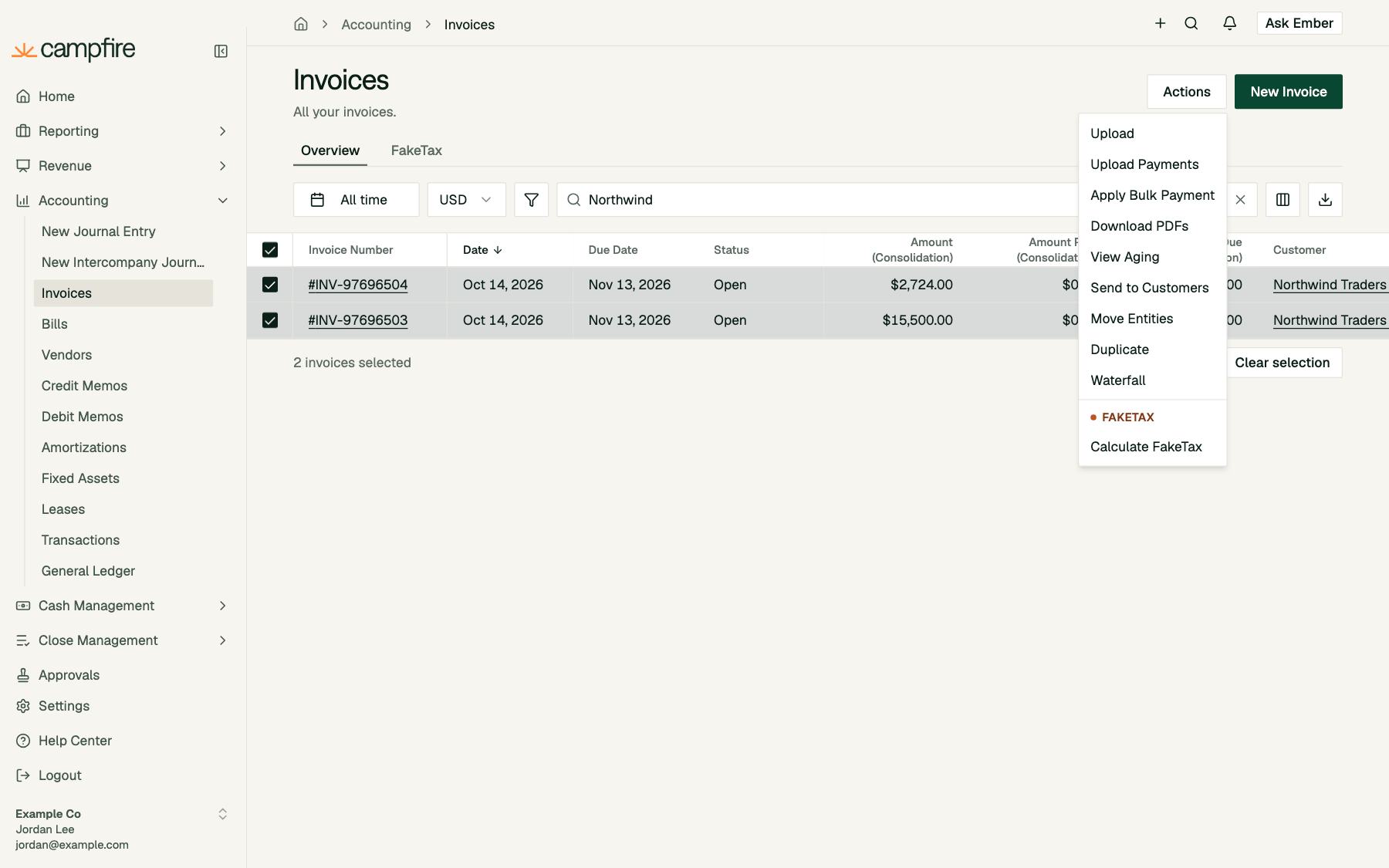
List header buttons act on the selected rows. object_ids contains up to 50 ids. Reply with one summary toast:
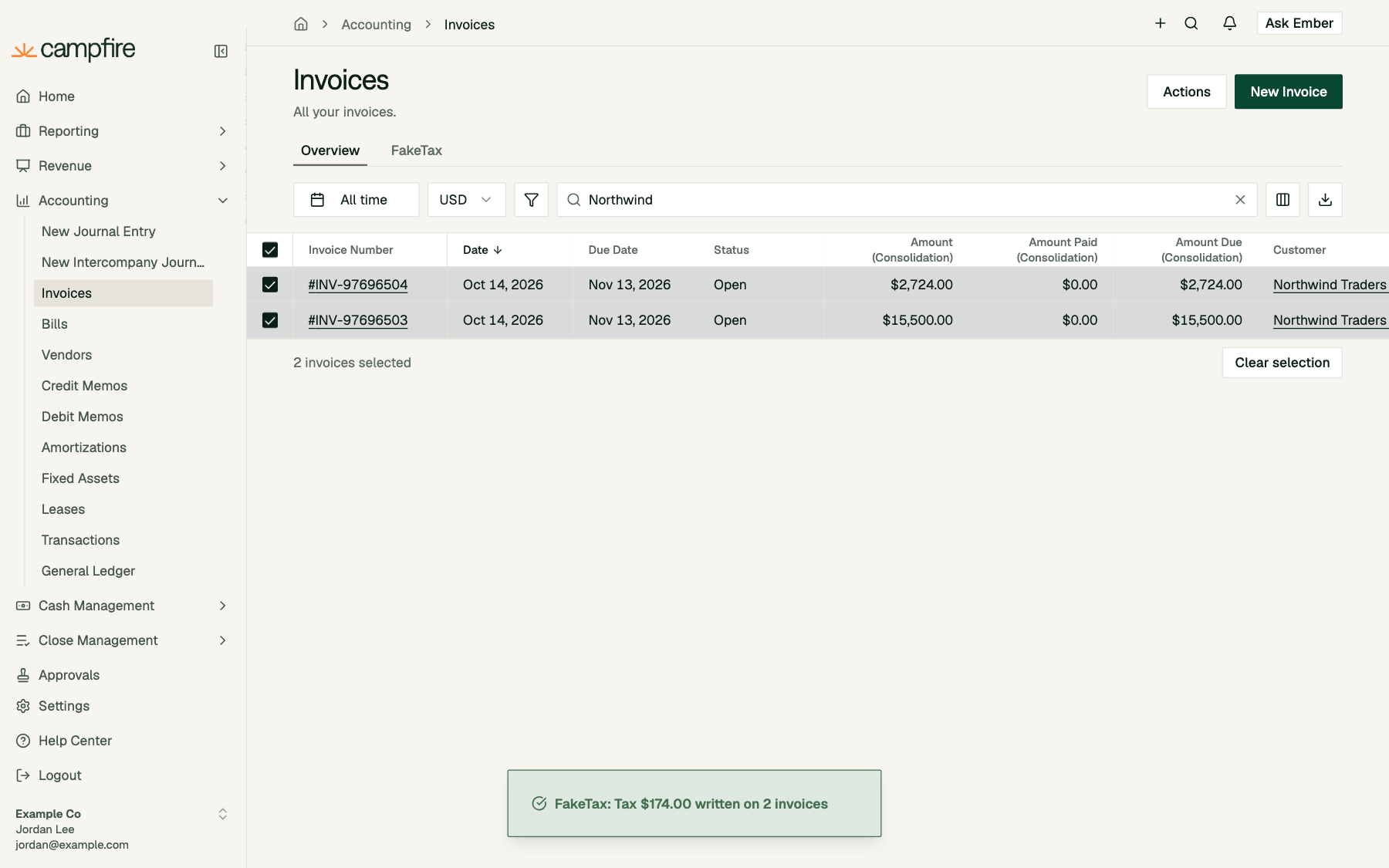
Iframe buttons
An iframe button opens your page in a drawer (default) or modal,sm, md (default), or lg wide. Campfire doesn’t add anything to the URL. Your page gets its context over the bridge instead:
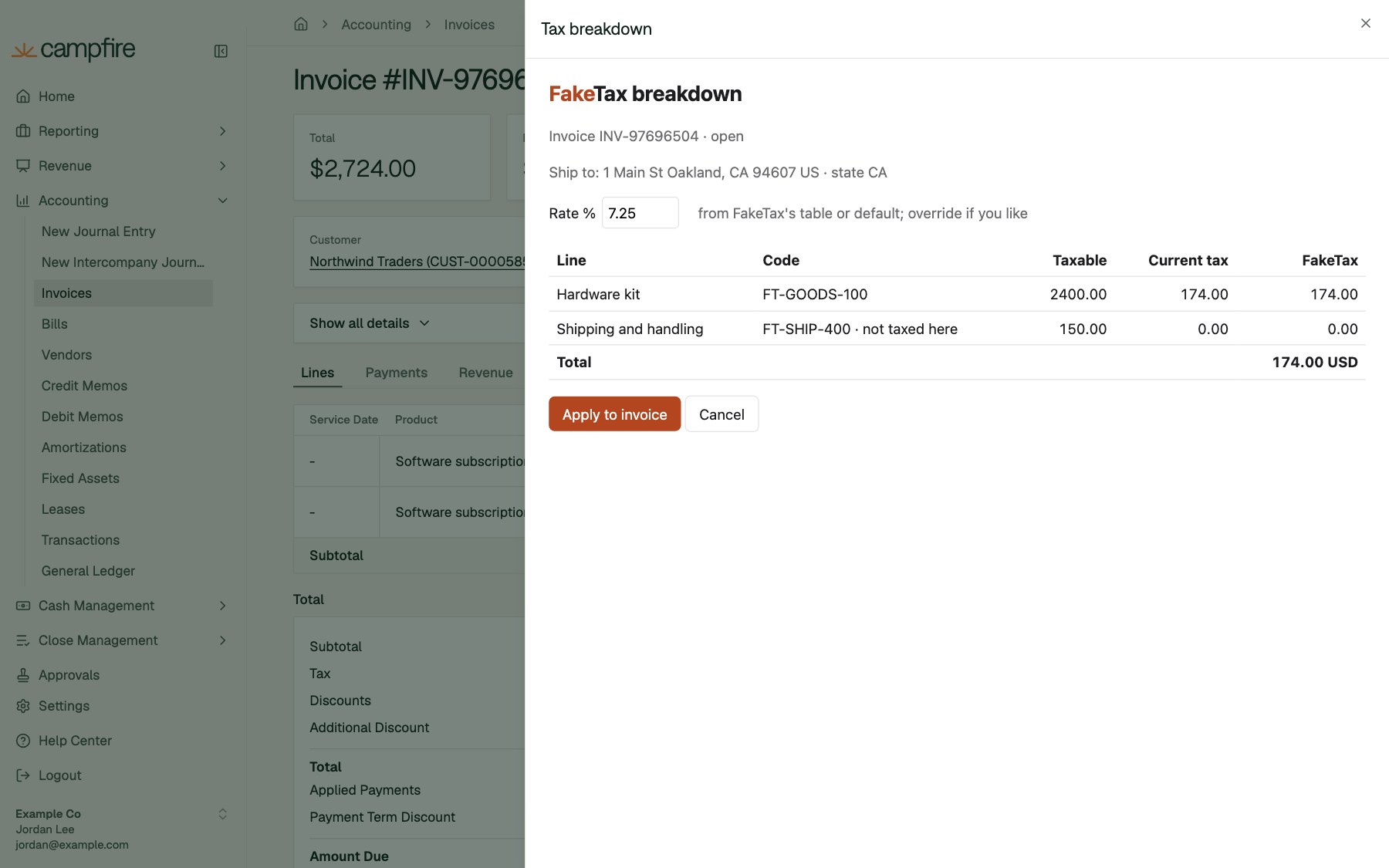
URL templates
URL templates can include these placeholders:
Values are URL-encoded. A placeholder at the very start of a template, such as
{{install.base_url}}/report, is inserted as-is, so each workspace can point at its own host. The result must still be on an allowed domain.
Visibility rules
Show only when takes up to five rules, all of which must match. Each rule is afield, an operator (eq, neq, in, not_in), and a value:
FakeTax shows Calculate tax only on draft and open invoices:
How buttons are styled
In your own workspace, buttons get the style you chose. In other workspaces, they start asmenu items until a workspace admin promotes them. To keep pages tidy, each page area shows at most one primary and two secondary app buttons. Extras become menu items. If the page already has its own primary button, yours becomes secondary. App buttons are drawn in Campfire’s partner color so people can tell them apart from Campfire’s own.
Who sees a button
A person sees your button only if:- someone in their workspace has connected your app,
- they can view that kind of record, and
- a workspace admin hasn’t switched the button off or limited it to other roles.
Panels
Panels embed one of your pages as a tab next to Campfire’s own tabs. Manage them on the Panels tab.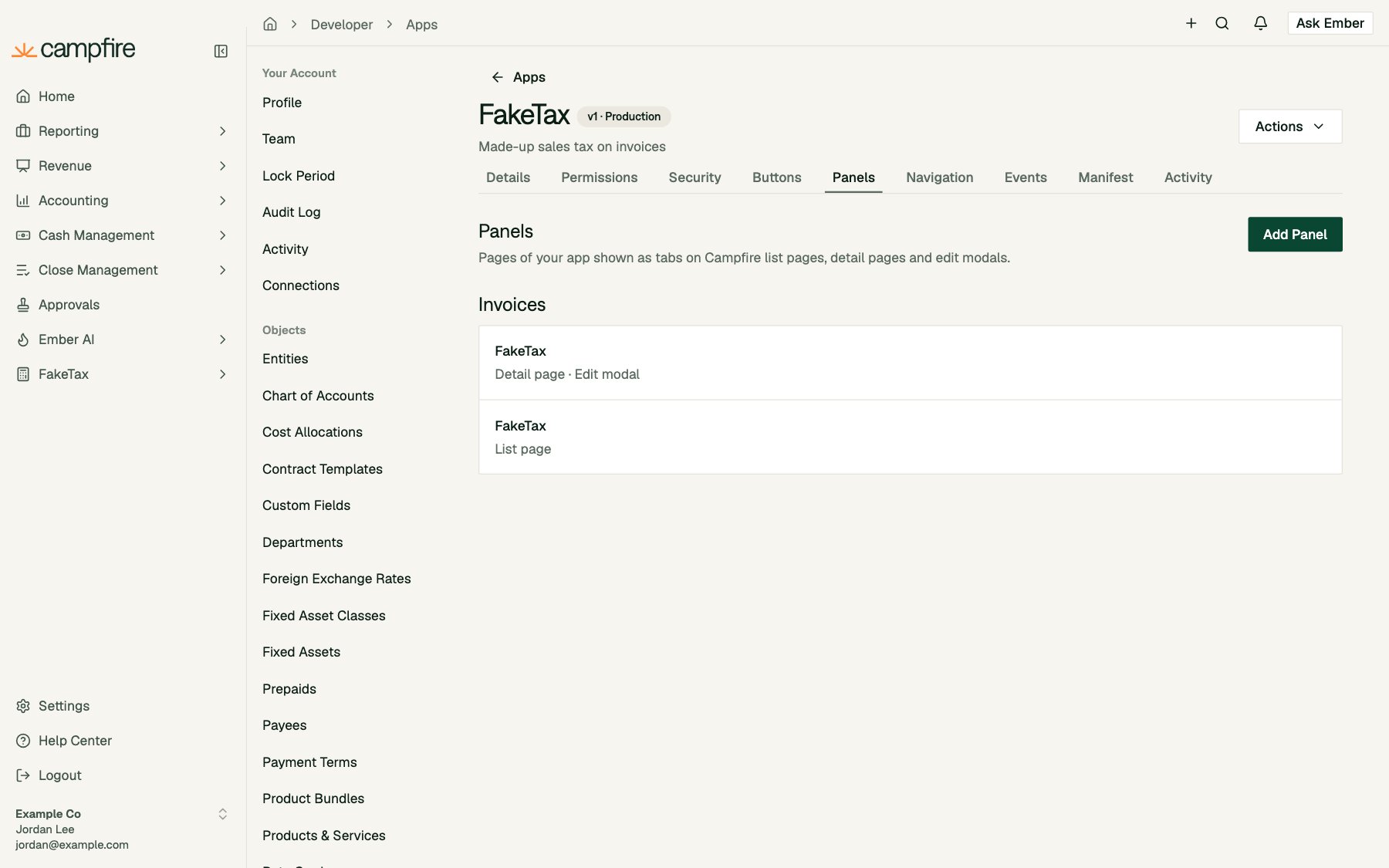
An app can have up to 20 panels.
Where panels appear today: invoices (list page, invoice page, edit modal) and bills (list page, edit modal).
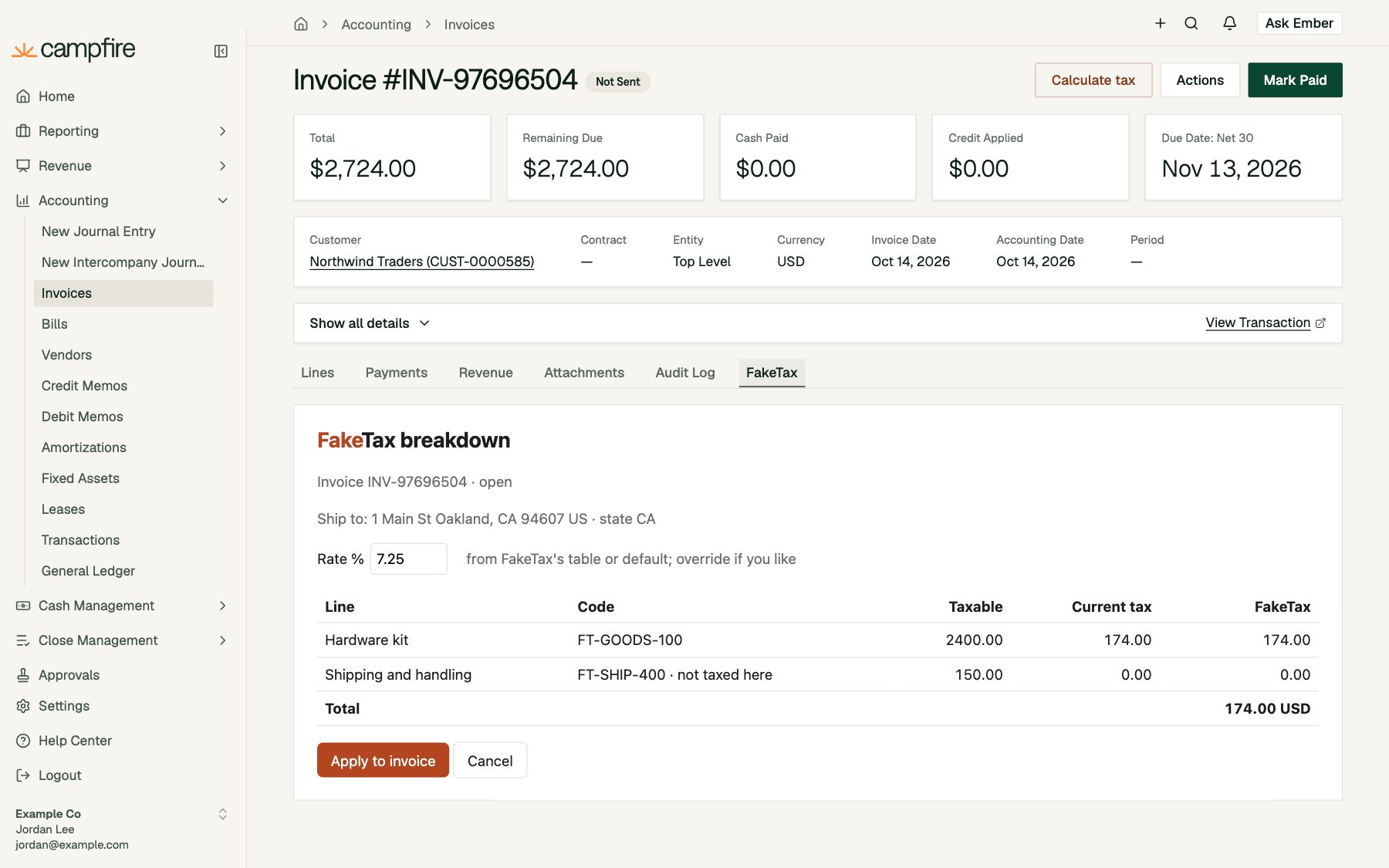
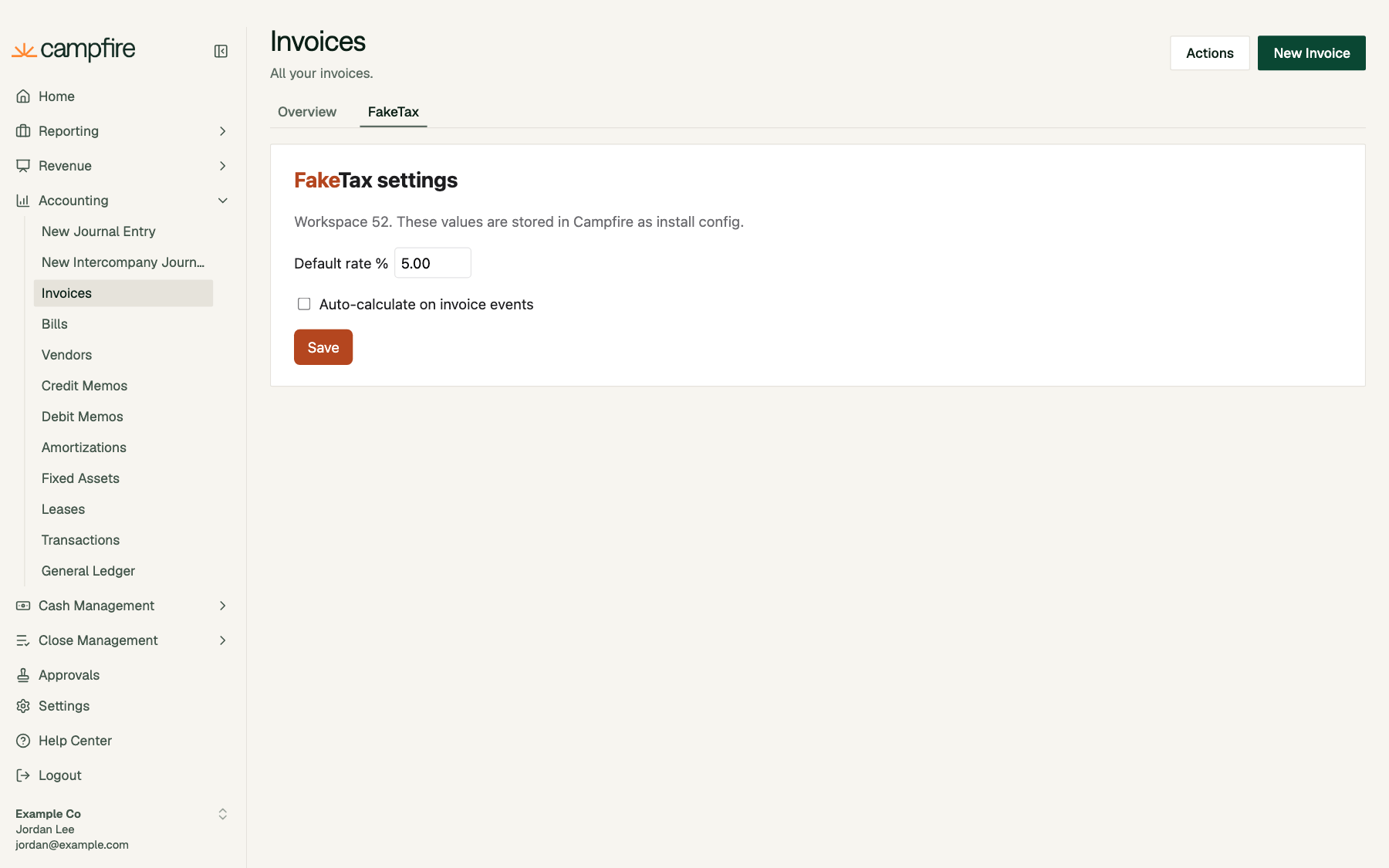
allow-scripts allow-forms allow-same-origin allow-popups, no referrer). They start 480 px tall and can resize themselves between 120 and 2,000 px over the bridge.
Navigation
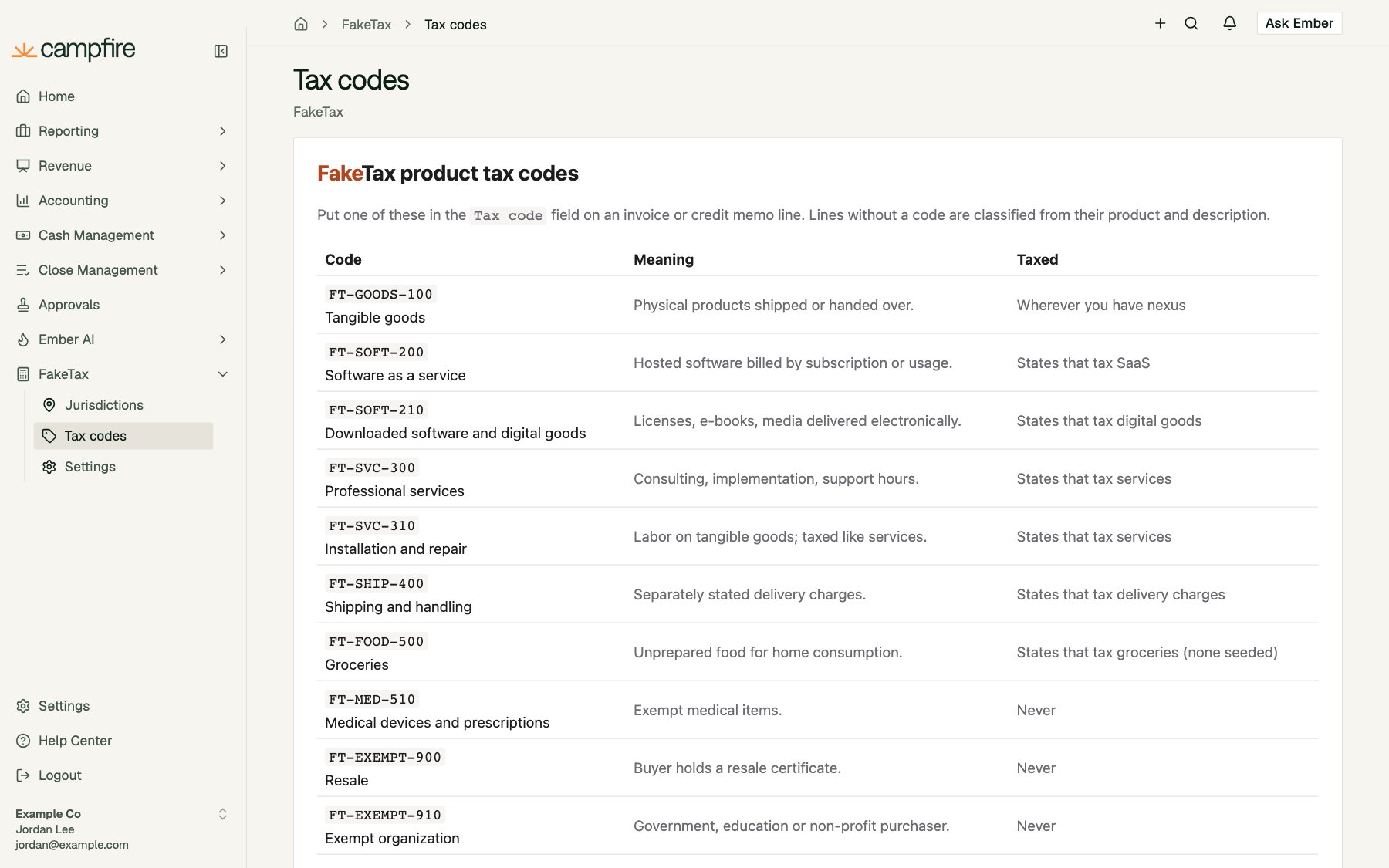
Navigation adds a section to Campfire’s main sidebar, after Campfire’s own sections. Each page opens full-width inside Campfire, under a header with the page’s label and your app’s name. Manage it on the Navigation tab.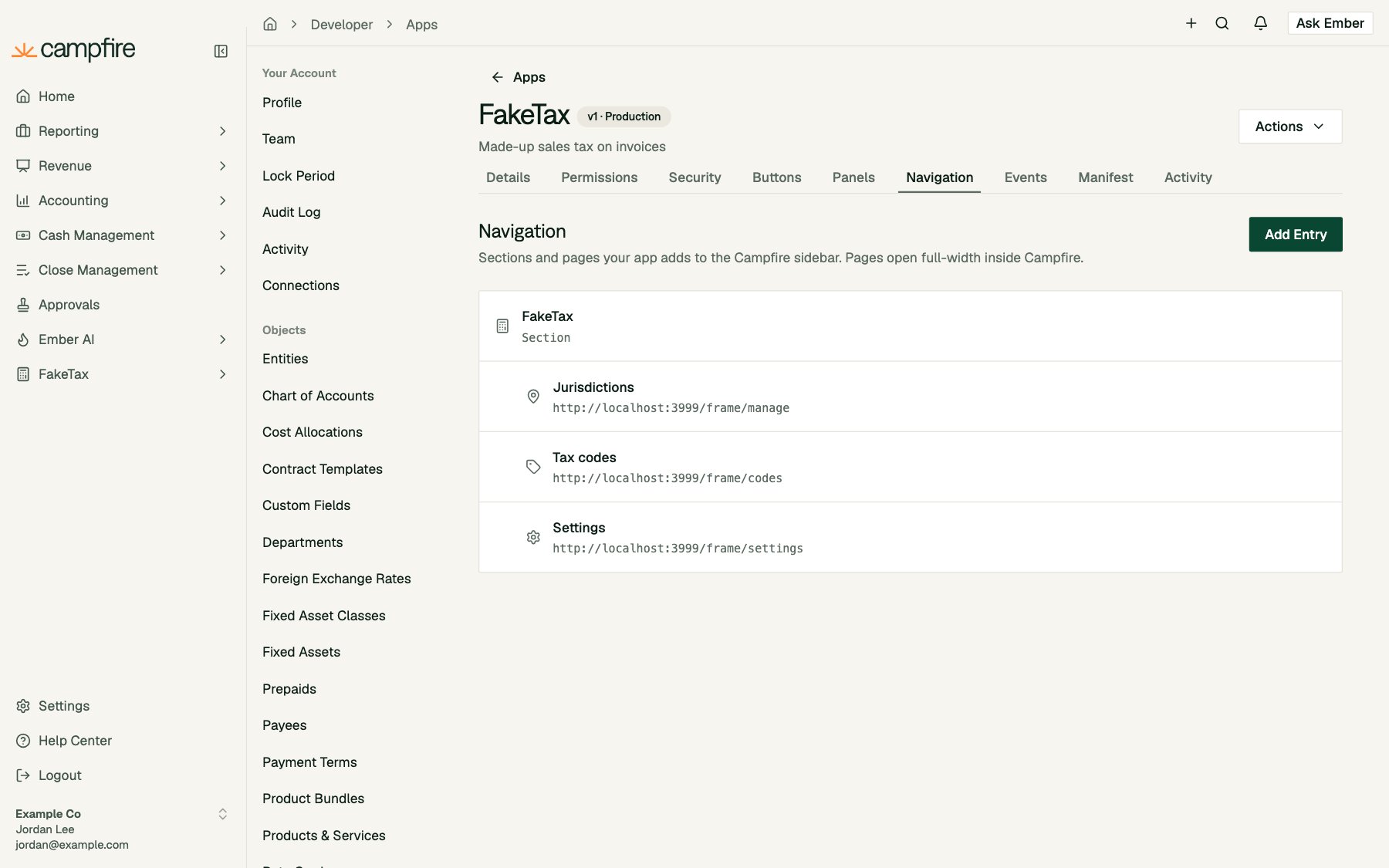
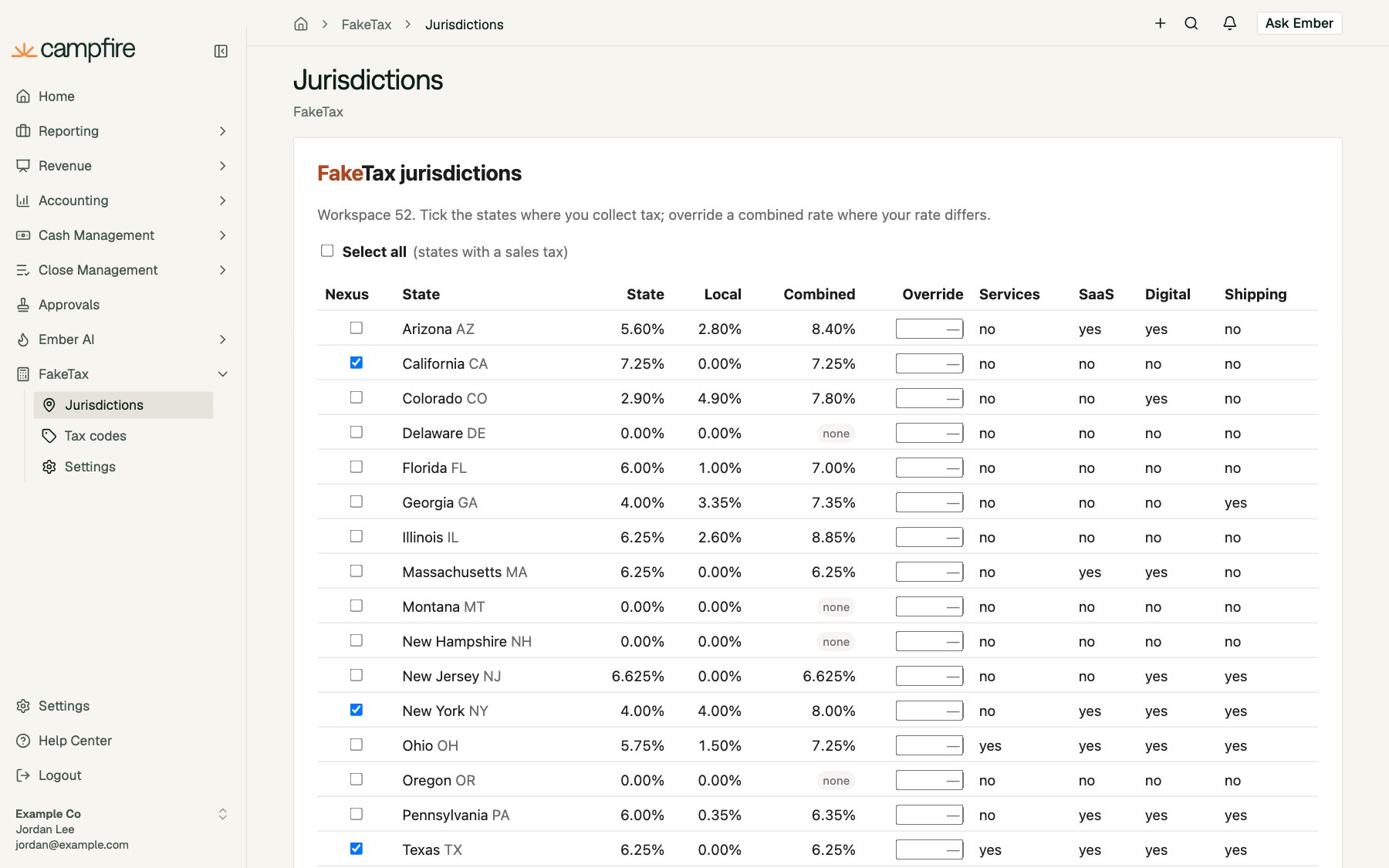
- A top-level entry with no URL is a section that groups pages. A top-level entry with a URL is a page on its own. If it also has pages under it, it shows first as Overview.
- Pages nest one level deep. An app can have up to 30 entries in total, and keys must be unique across all of them.
- Labels are up to 40 characters. Icons are Lucide names, as for buttons.
- URL templates can use
{{customer.id}}and{{install.<key>}}, but not{{record.*}}. - Pages are framed exactly like panels, start 720 px tall, and receive a context token with
surface: "nav".
The manage link and onboarding
Manage URL
Set Manage URL on the app’s Details tab to give connected workspaces a way into your app’s settings. The connection page then shows Manage in <App>: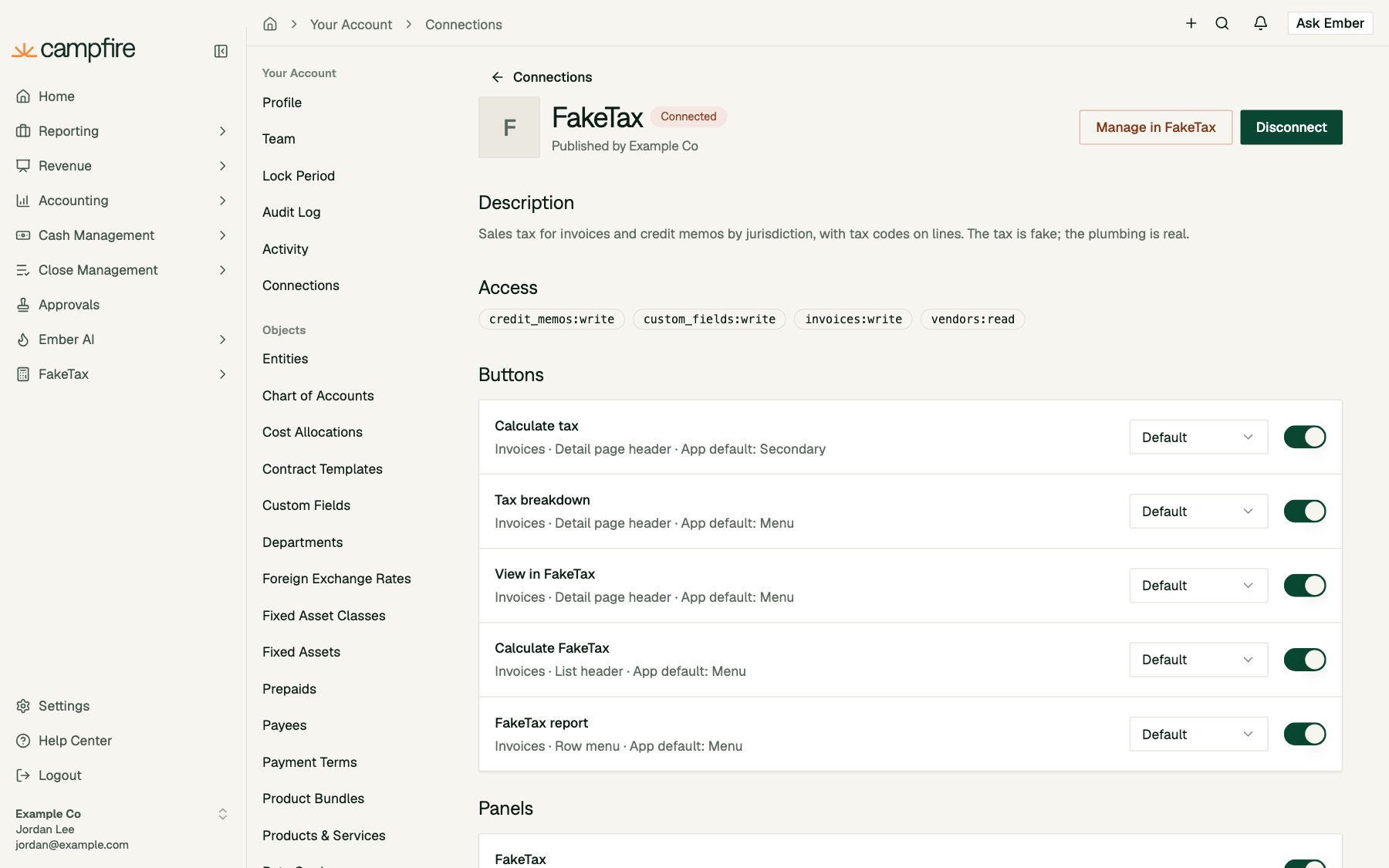
surface: "manage", object_type: "workspace"):
Manage URL is part of the app’s versioned details, so a change takes effect when you promote it.
Onboarding after connect
When someone clicks Connect on your app’s connection page, Campfire sends them to your Connect URL with areturn_to parameter holding the Campfire page they came from:
return_to if it starts with Campfire’s own origin, to avoid an open redirect.
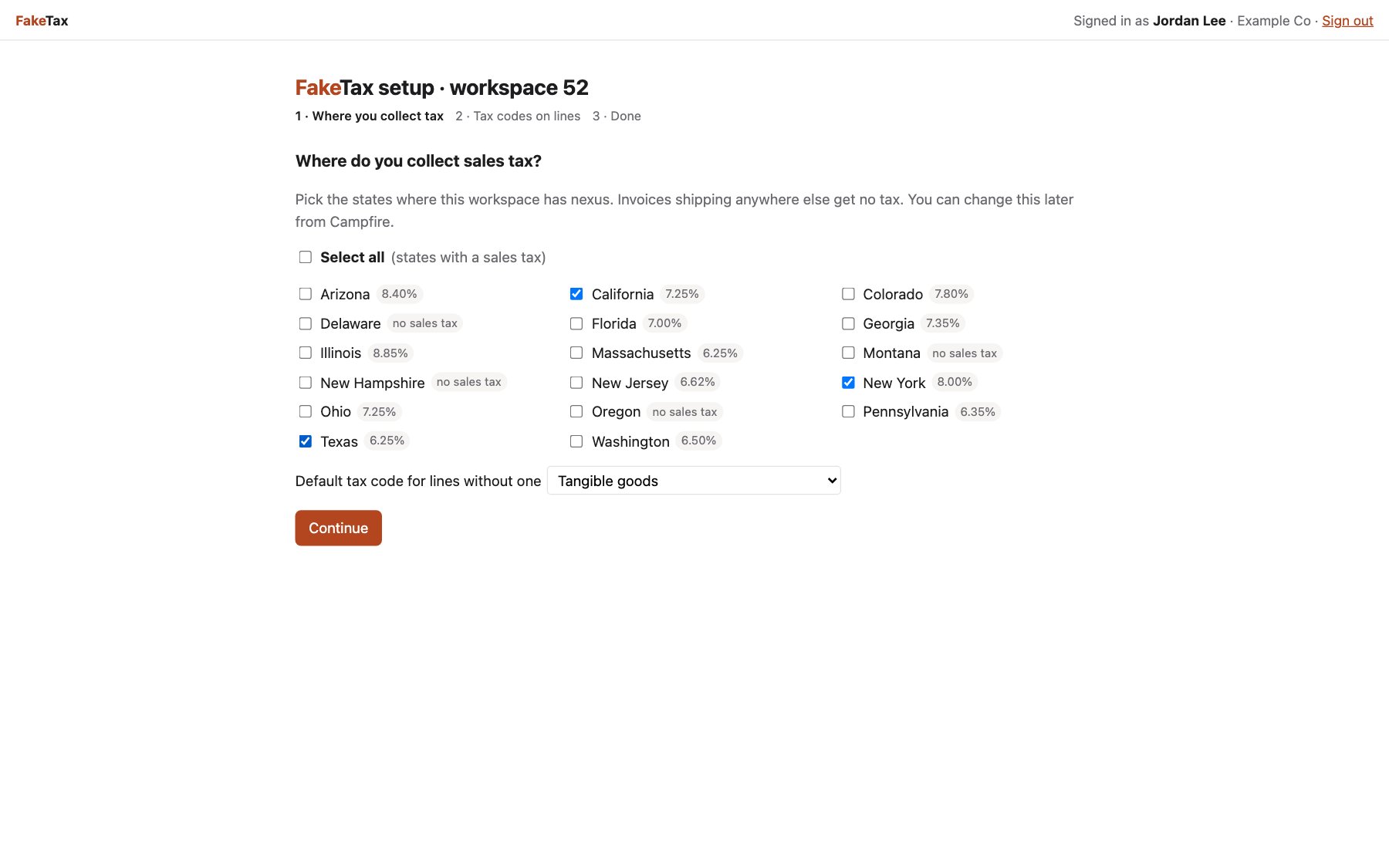
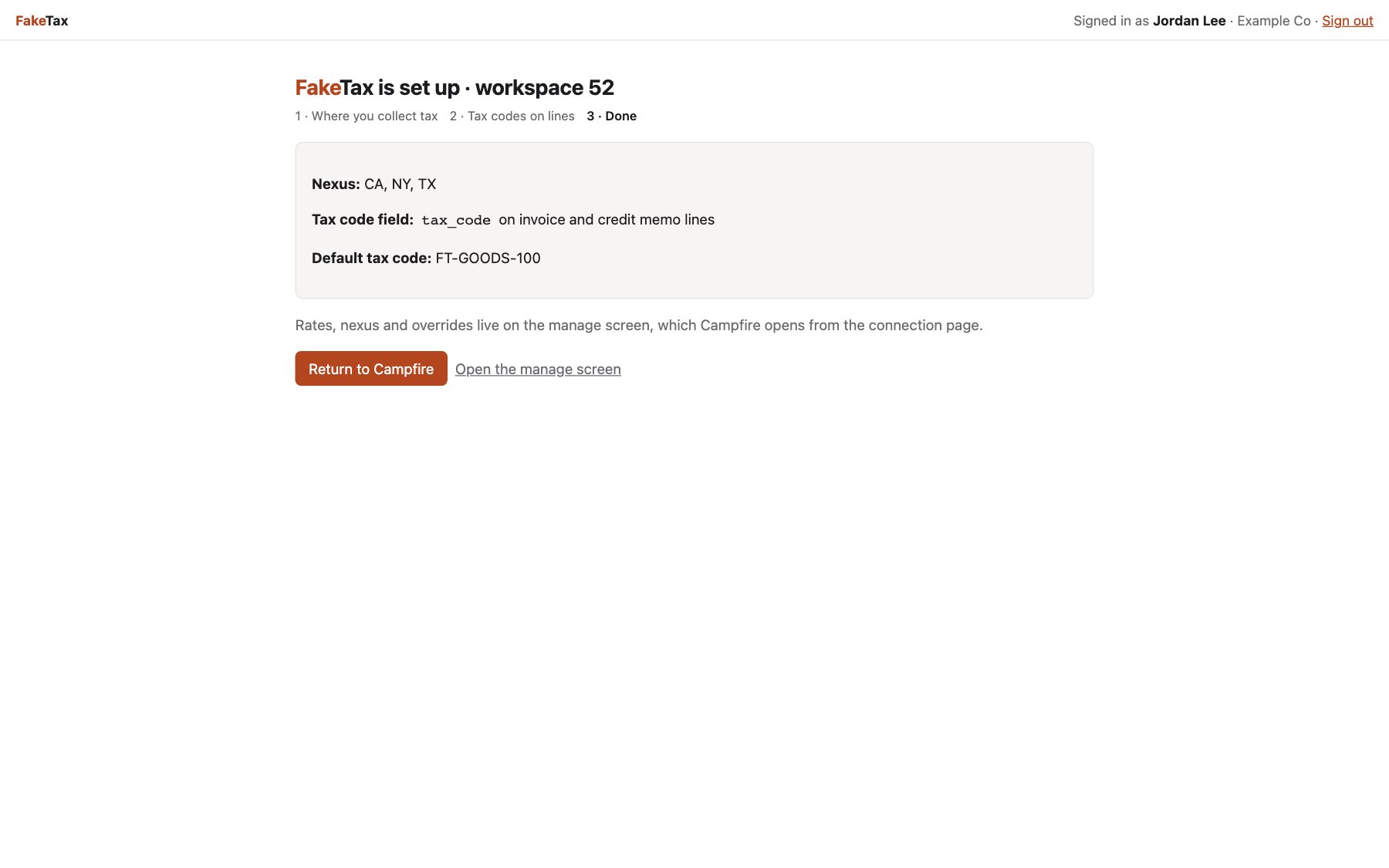
FakeTax’s onboarding asks where the workspace collects tax, then uses its app token to create a Tax code custom field on invoice lines, then returns to Campfire:
Install config
Your app often needs settings per workspace rather than per person. Install config stores a small set of strings on Campfire, one set per app per workspace. Read and write it with any of the workspace’s OAuth tokens:PUT the same path with {"install_config": {...}} to replace the whole object. Limits: up to 32 keys, lowercase identifiers, string values only, and 2,048 characters in total. This endpoint only accepts OAuth app tokens.
Values fill {{install.<key>}} placeholders in your URL templates.
Event subscriptions
Event subscriptions notify your server when records change in every workspace where your app is connected. Manage them on the Events tab.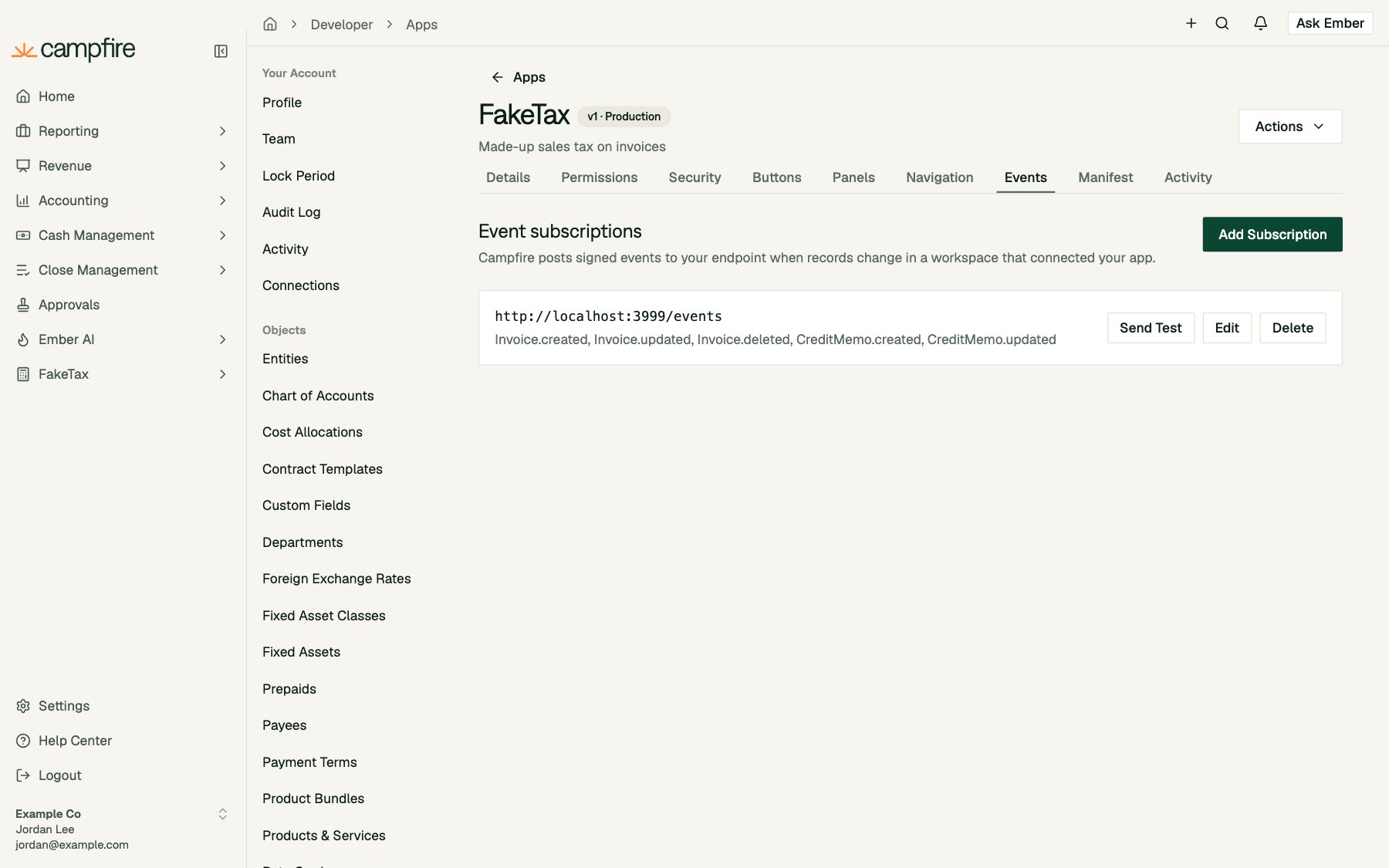
{{customer.*}} and {{install.*}} placeholders) and a list of topics. An app can have up to 10 subscriptions.
Every topic must be covered by your app’s permissions. In each workspace, an event is only sent if someone there has granted a scope that covers it.
Events are thin: they say what changed, not the new values. Re-read the record through the API with that workspace’s token:
changed_fields is empty for .deleted events. Send Test posts an example with "test": true and "id": 0.
Delivery. Events are sent after the change is committed, with a 10-second timeout. Timeouts, connection failures, 429 and 5xx responses are retried up to 5 times, with exponential backoff starting at 1 minute and capped at 1 hour. Other 4xx responses are not retried. Respond 2xx quickly and do slow work in the background.
App events vs. workspace webhooks
Security
Verifying signatures
Every webhook button call and event delivery has these headers:
Accept a request when either signature header matches, and reject timestamps more than 5 minutes off. Always compute the HMAC over the raw body bytes, before parsing the JSON.
Context tokens
Whenever Campfire sends a person to your app, it includes a context token: on link buttons and the manage link ascf_ctx, in webhook bodies as context_token, and to embedded pages over the bridge. It’s an HS256 JWT signed with your signing secret, valid for 5 minutes:
To verify one:
- Check the signature against your current and previous signing secrets.
- Require
exp,iat,jti,aud, andiss. Check thataudis your client ID andissiscampfire. - Check that the record you’re about to show is in
object_ids. - Record the
jtiand refuse it if you’ve seen it before. Campfire doesn’t enforce single use for you.
The bridge
Pages embedded in drawers, modals, panels and navigation talk to Campfire withwindow.postMessage. Campfire only accepts messages from your frame’s origin, and you should only accept messages from Campfire’s origin (https://app.meetcampfire.com) sent by window.parent.
Every message from your page has this shape:
Campfire’s reply to
ready:
context_token to your own server to verify it, then load your data. FakeTax’s static/app-bridge.js is a 70-line wrapper you can copy. It provides ready(), toast(), refresh(), resize(), autoResize(), close(), and openUrl().
What workspace admins control
On the connection page (Settings > Connections, then your app), a workspace admin can switch off each button, panel, navigation entry and subscription, and change a button’s style for their workspace. These settings survive changes to your app, because they’re matched by key (and by endpoint URL for subscriptions).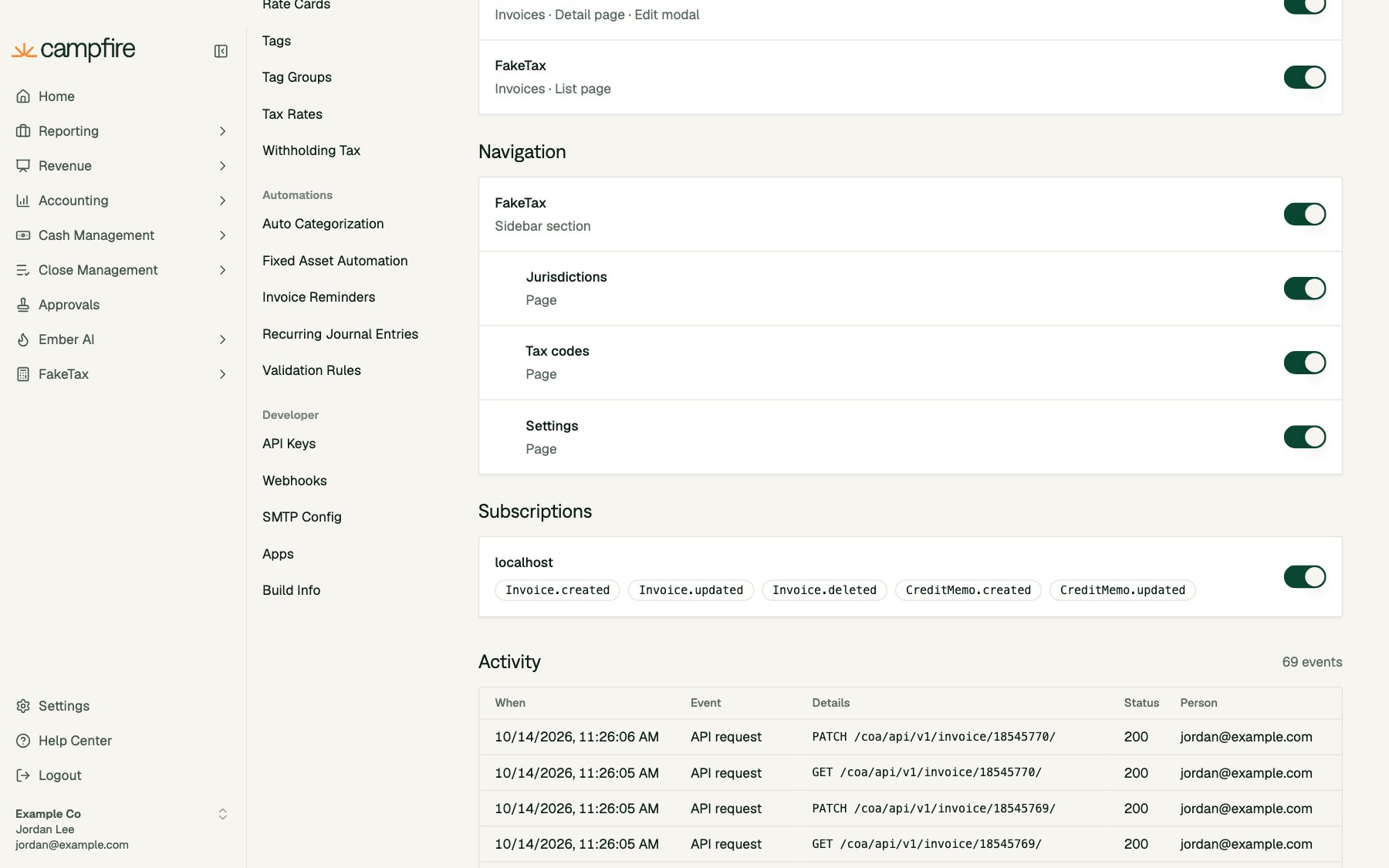
Activity and testing
The Activity tab on your app’s page lists the latest 100 button clicks and event deliveries across every workspace, with status, HTTP code and response time. Use it to debug failures: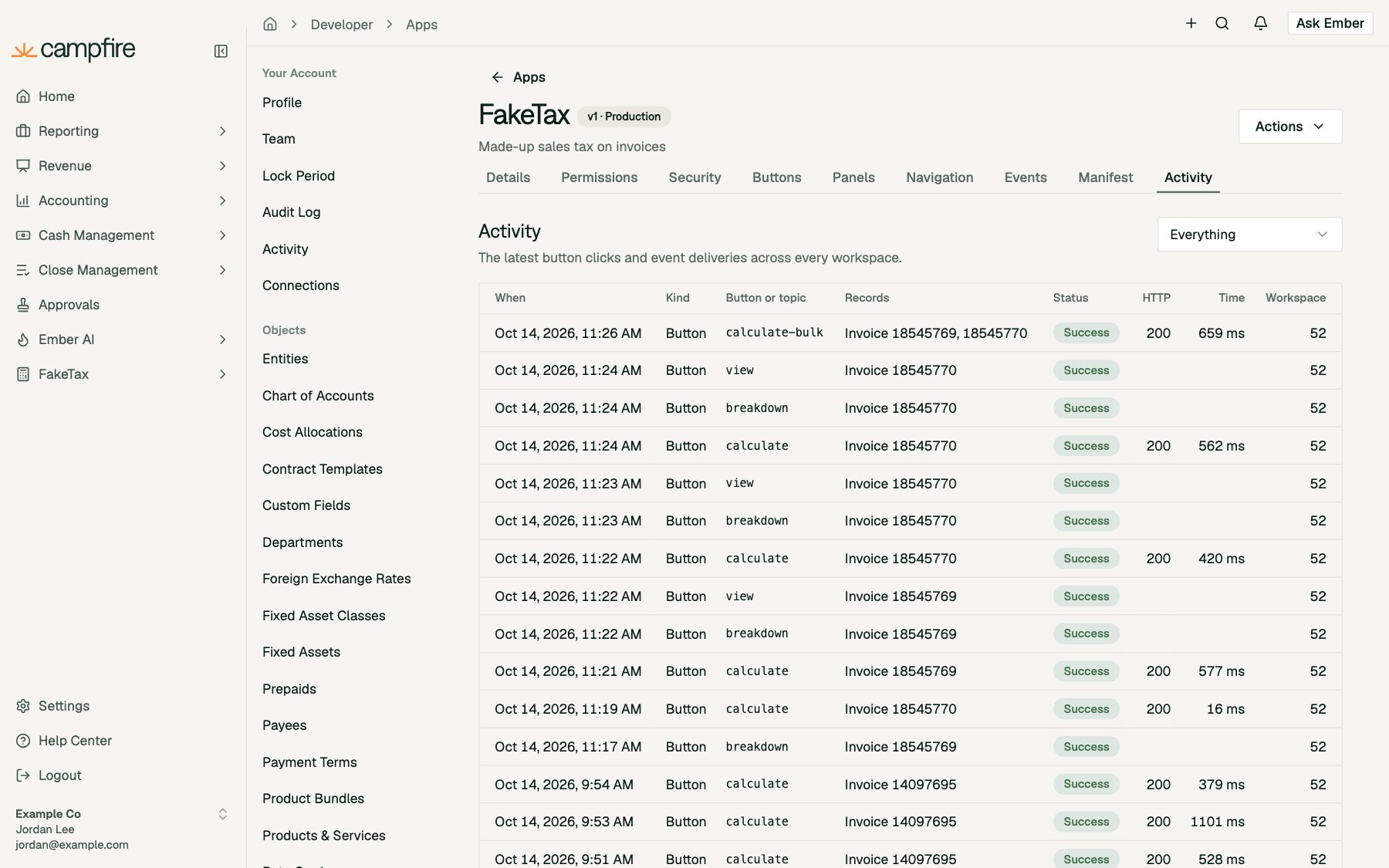
Extensions are not versioned. Allowed domains, the signing secret, buttons, panels, navigation and event subscriptions take effect in every connected workspace as soon as you save. Only the app’s details and permissions go through versions. Test changes in your own workspace with a separate development app before you change the one your customers use.